
SportzX TV
Free Sports Streaming App
Live | Cricket | Football
SportzX TV is a free sports streaming app where you can watch live cricket, football, and other sports channels anytime on your Android device. The latest version of SportzX APK delivers smooth streams, fast access, and an easy-to-use interface so fans never miss the action. No sign-ups, no hidden charges, just nonstop sports in one simple app.
About SportzX TV
SportzX TV is a dedicated sports streaming app designed for fans who never want to miss a match. Whether it’s live cricket, football, or international tournaments, the app brings all the action directly to your Android device. With the latest version SportzX TV app, users get faster performance, smoother playback, and access to a wide range of sports channels without the hassle of sign-ups or monthly fees.
The app has become popular because of its simple navigation, lightweight size, and reliable streams. From major ICC cricket events to global football leagues, SportzX TV ensures you stay connected to the game no matter where you are. It is built with sports lovers in mind easy to install, quick to use, and completely free.

| App Name | SportzX |
| Version | v2.5 |
| File size | 14.4 MB |
| Features | Free Sports Streaming |
| Requirement | Android 5.0+ |
| Total Download | 700k+ |
| Last Update | June 13, 2026 |
What’s New in SportzX TV v2.5?
The latest release, SportzX TV APK v2.5, brings important improvements for a better and smoother streaming experience. If you are using an older version, we recommend uninstalling it first before installing the new update.
New Features & Improvements in v2.5:
- Floating Player – Watch sports while using other apps.
- New Channels: Watch FIFA 2026 All Matches
- Force Low Quality Option – Helps on slow internet connections.
- Bug Fixes – More stable and reliable than before.
- Smooth & Clean UI – Updated interface for easier use.
- Improved Compatibility – Works on Android Mobile, Android TV, Amazon Firestick, and Samsung Android TV.
100% Safe
100% virus-free and tested for smooth streaming.
Privacy
No personal data collected or shared with anyone.
Firestick Code
Use 6889177 to set up SportzX on Firestick.
Device Support
Works on Android, Android TV, Firestick & Samsung TV.
Main Sections of SportzX TV
SportzX TV keeps everything organized just like in Sportzfy TV so you can quickly find the match or channel you’re looking for. The app is divided into three main sections that make navigation simple and fast.
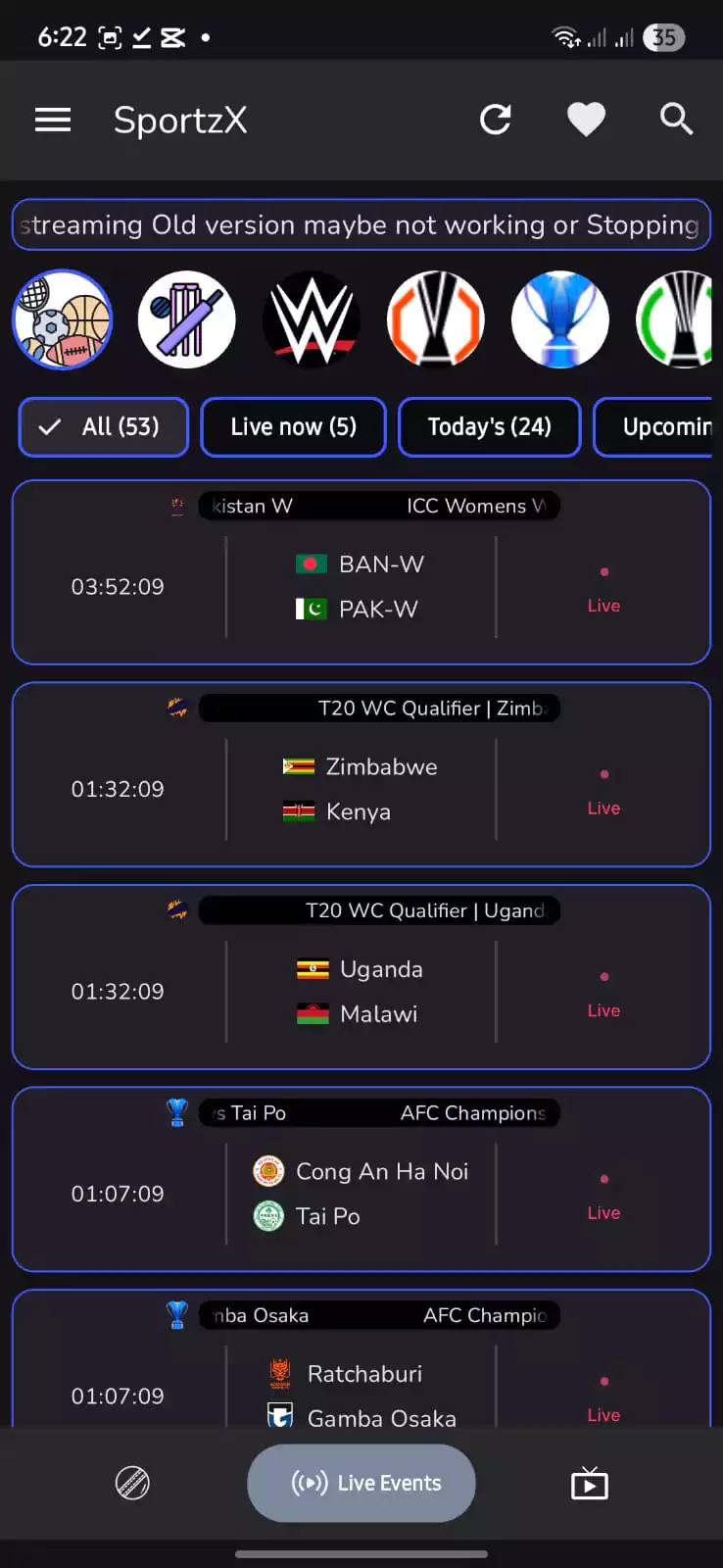
Live Events
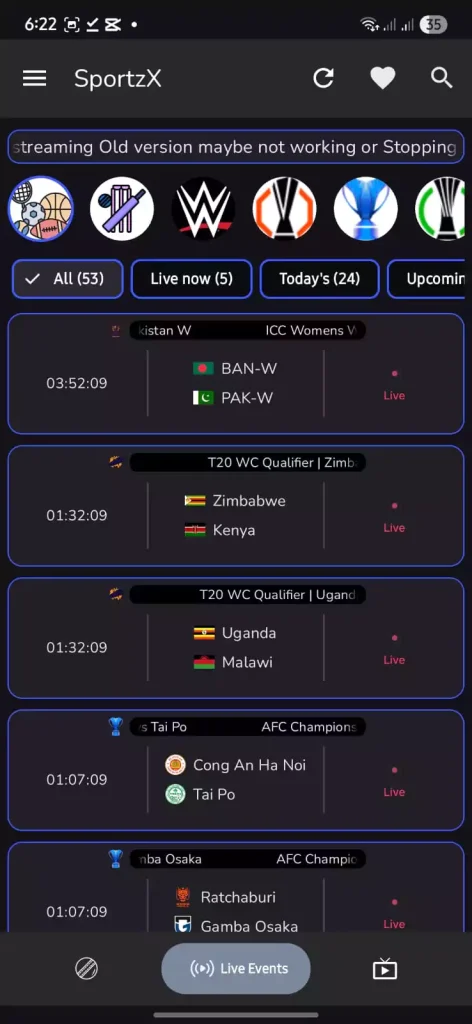
This section shows all ongoing and upcoming matches in real time. From live cricket series to football tournaments and other global sports, you can check schedules, countdowns, and jump directly into the live stream with a single tap.
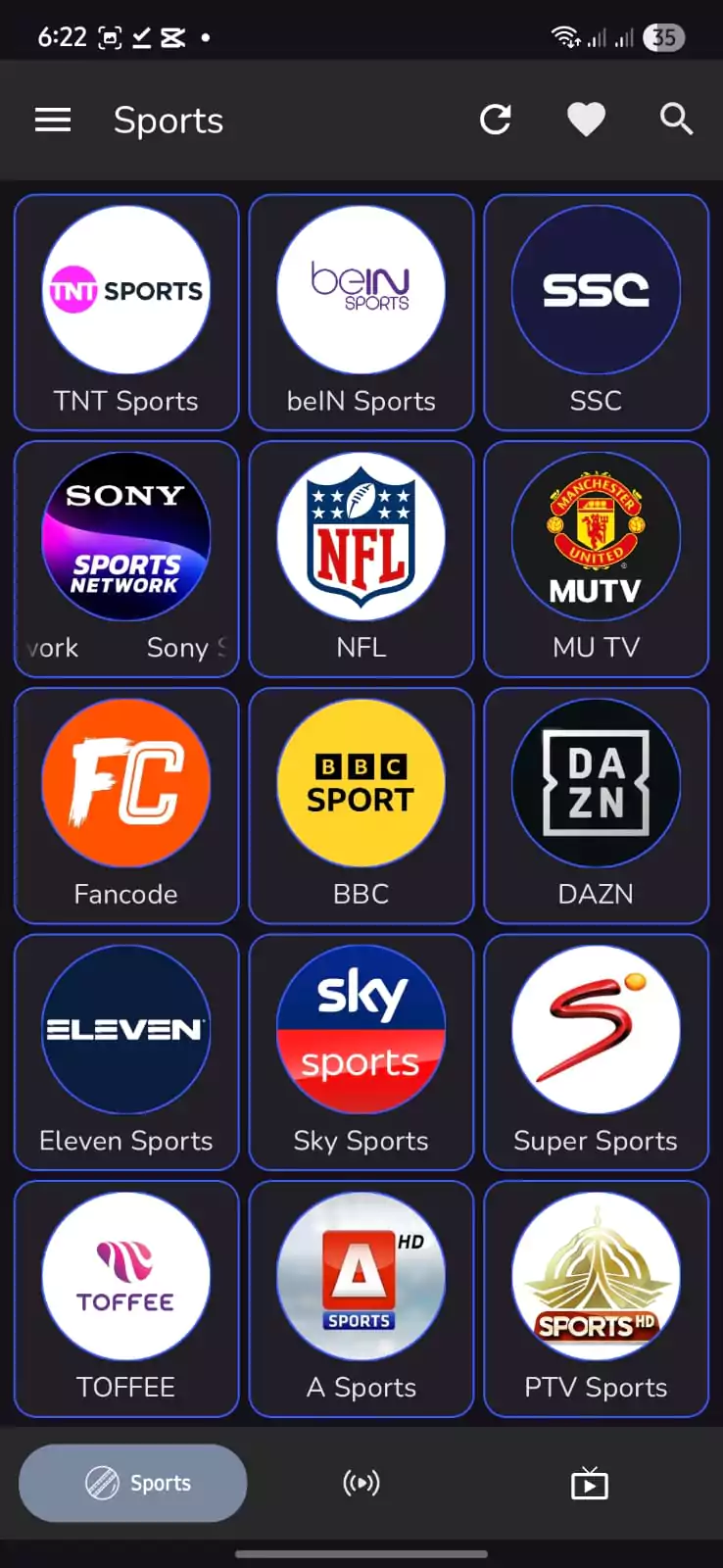
Sports
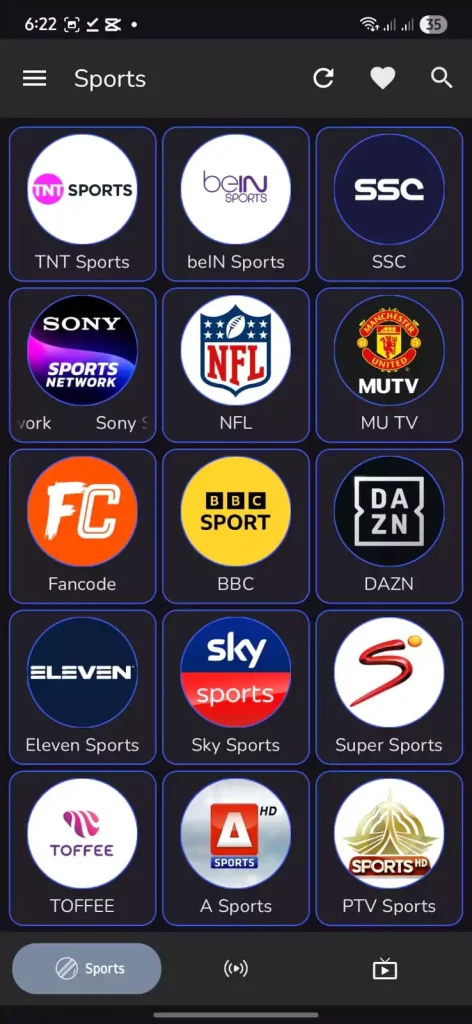
The dedicated Sports tab brings together popular sports channels like Sony Sports, Sky Sports, PTV Sports, beIN Sports, and more. It’s designed for fans who want direct access to their favorite networks without searching through categories.
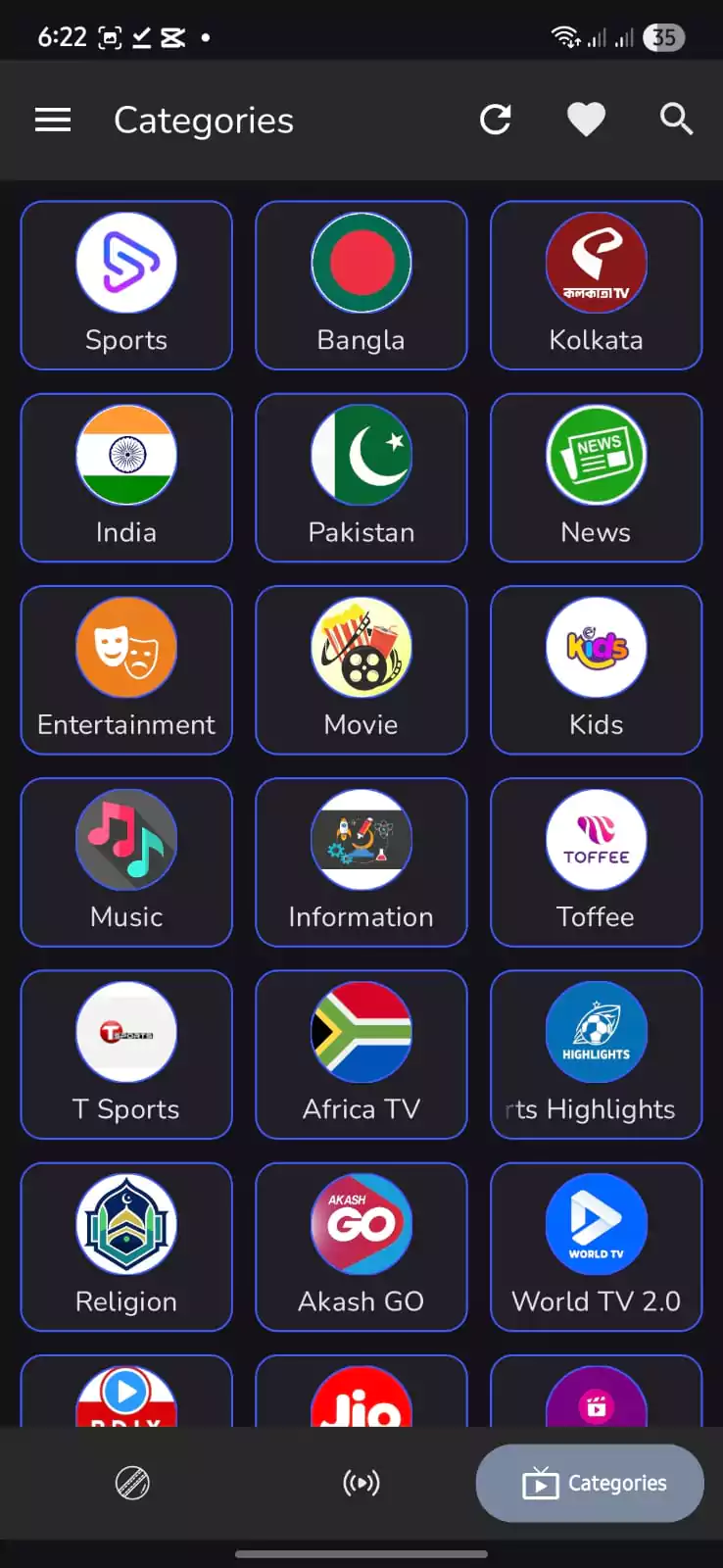
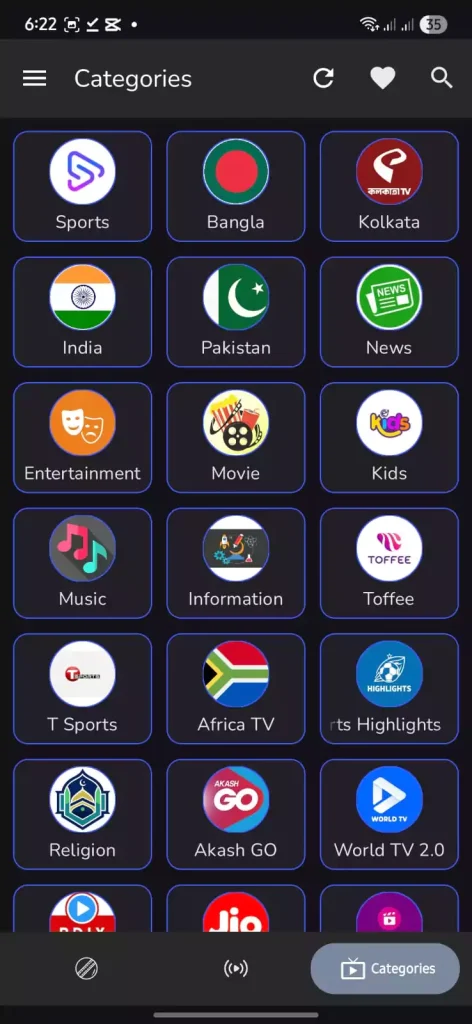
Categories
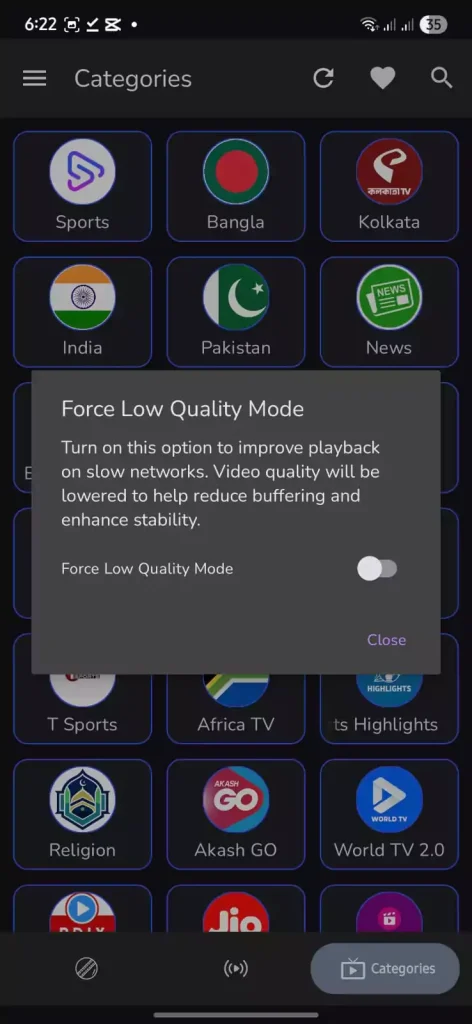
In the Categories section, you’ll find content neatly divided by region and type. Options like India, Pakistan, Bangla, News, Entertainment, and Kids make it easy to switch between sports channels and other streams. This ensures a user-friendly experience where everything is just a tap away.
Frequently Asked Questions
Key Features of SportzX TV
The SportzX app is designed to give sports lovers a simple and reliable way to watch live matches without limits. Below are some of the top features that make the SportzX APK download one of the most popular choices for Android users in 2025.
Live Sports Coverage
One of the biggest reasons people download the SportzX APK is because of its wide sports coverage. You can follow live cricket tournaments, football leagues, kabaddi events, and more, all from one app. Instead of juggling different apps or searching for unreliable links, the SportzX app keeps everything organized in one place so you never miss a match.
200+ Sports Channels
The sportz x app includes access to more than 200 national and international sports channels. From regional broadcasters like PTV Sports and A Sports to global leaders like Sky Sports, Sony Sports, and beIN Sports you’ll find them all inside the app. This huge lineup ensures there’s always a live game or channel available to watch.
Floating Player
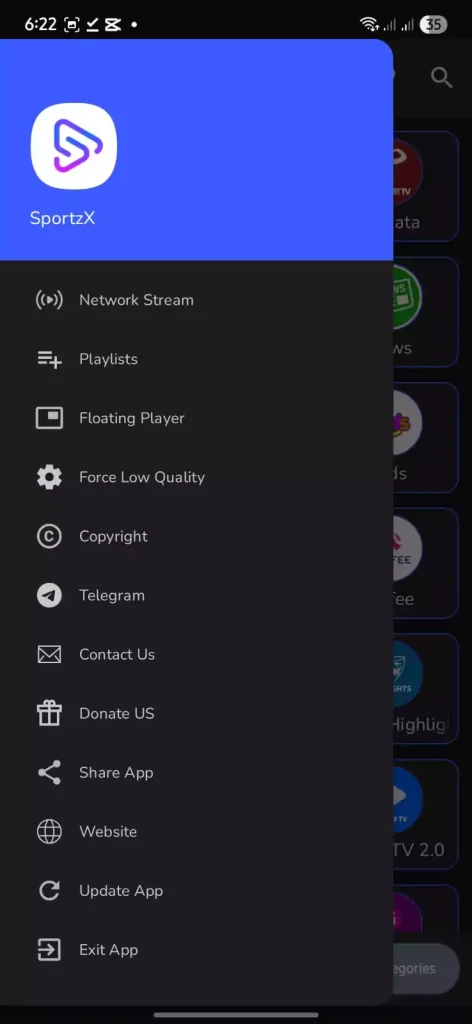
Multitaskers will love the Floating Player feature. It allows you to keep your match playing in a small window while you check messages, browse, or use other apps. The SportzX app is built to make sure fans don’t have to choose between staying connected and staying in the game.
Smooth Streaming & Low Buffering
The Sportzx TV app is optimized for smooth performance even when the internet speed isn’t great. With the “Force Low Quality” option, streams remain stable and run without constant buffering. This feature makes the app especially useful for users in areas where connections are slower or less stable.
Easy-to-Use Interface
Navigation in the SportzX is simple and straightforward. The app divides content into clear sections Live Events, Sports, and Categories so you can quickly find what you’re looking for. The clean design ensures that even first-time users can easily get started without confusion.
Multi-Device Support
The sportz x app isn’t limited to Android phones. It also works on Smart TVs, Samsung Android TVs, and Firestick devices, giving you flexibility to watch on both small and large screens. Whether you’re streaming on your mobile during travel or on a TV at home, the SportzX TV ensures a smooth experience.
Regular Updates
Another strength of the SportzX app is its regular updates. The developers frequently add new channels, fix bugs, and improve performance. Each update makes the SportzX TV APK more stable, cleaner, and user-friendly, ensuring fans get the best possible version of the app.
Free & Safe to Use
Unlike paid platforms, the sportzx apk download is completely free. It is also safe to install tested for viruses and designed without collecting personal data. This makes the SportzX TV app a trusted choice for fans who want worry-free streaming.
New Features of SportzX TV
The latest update makes SportzX TV faster, more stable, and easier to use. With new tools and fixes, fans can now enjoy an even smoother streaming experience across devices.
SportzX TV v2.0 vs v2.5 – What’s Improved?
| Feature | v2.0 (Old Version) | v2.5 (Latest Update) |
|---|---|---|
| User Interface | Basic design, less smooth | Cleaner, faster, modern UI |
| Streaming Quality | Occasional buffering | Stable playback, less lag |
| Floating Player | Not available | Added in v2.5 |
| Low Quality Option | Not available | Force Low Quality mode added |
| Bug Fixes | Few minor fixes | Major bug fixes & more stable |
| Device Support | Android & limited TV support | Android Mobile, TV & Firestick (Code: 5628419) |
| Security | Safe & tested | Safe, virus-free, improved |
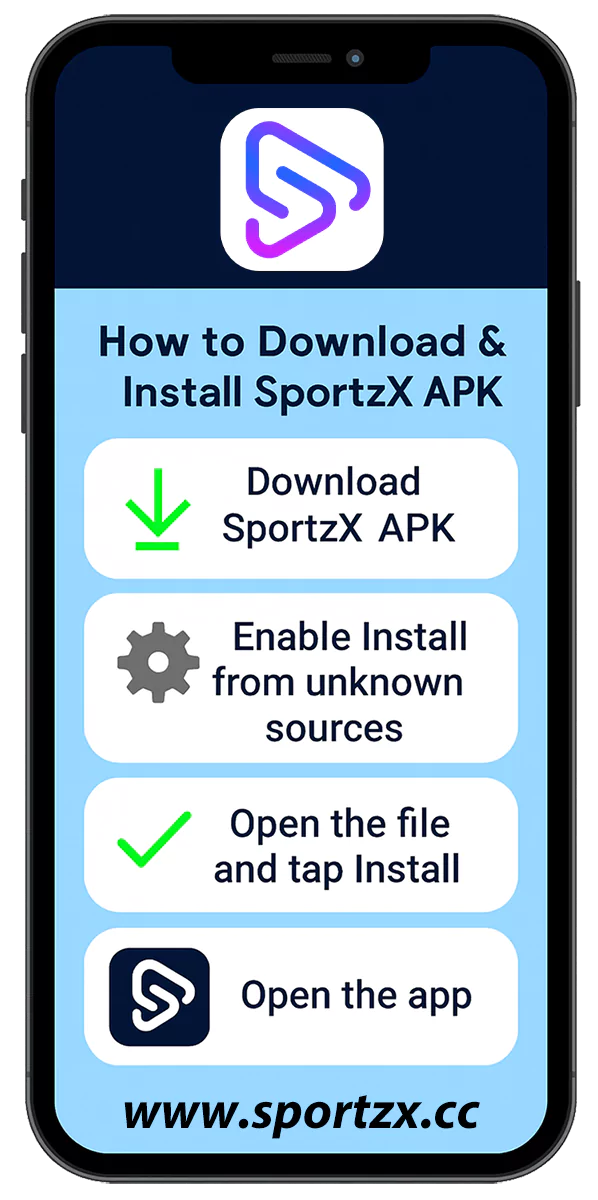
How to Download and Install SportzX TV on Android
SportzX TV is not listed on the Google Play Store, but you can still install it safely on your Android phone by following these quick steps. The process is simple and only takes a minute:
- Step 1: Tap the Download SportzX APK button on this page.
- Step 2: Open your phone’s settings and allow Install from Unknown Sources.
- Step 3: Find the APK file in your downloads folder and tap it.
- Step 4: Press Install and wait until the setup is complete.
- Step 5: Launch SportzX TV and start streaming live matches right away.
That’s all — no sign-ups, no subscriptions. Once installed, the app is ready to deliver nonstop cricket, football, and more.
Note: SportzX TV can also be installed on Firestick, Android TV, and even on PC via an emulator. We’ve prepared separate step-by-step guides for these devices, available on our site.
Important Note
If you see a warning while installing SportzX TV, don’t worry it’s normal for third-party apps. Simply tap “INSTALL ANYWAY” to proceed safely and enjoy smooth, secure streaming.
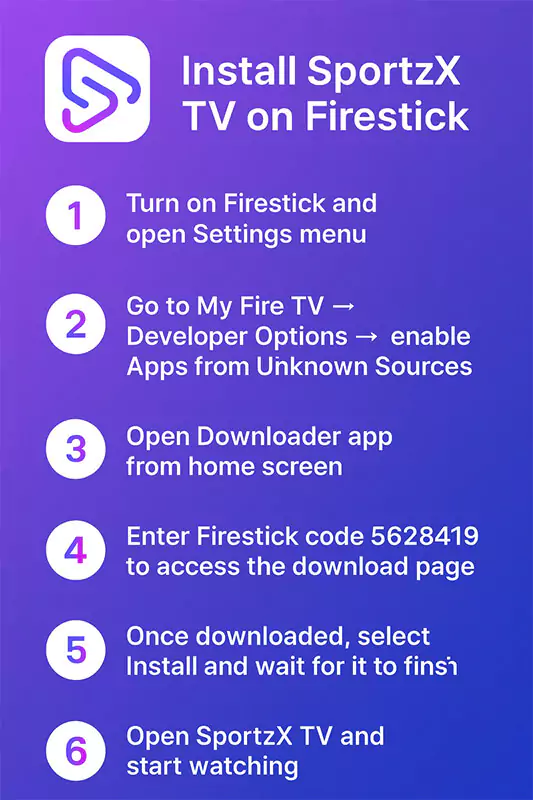
How to Install SportzX TV on Firestick
You can easily install SportzX TV on your Amazon Firestick to enjoy live sports on a bigger screen. Follow these simple steps to get started:
- Step 1: Turn on your Firestick and open the Settings menu.
- Step 2: Go to My Fire TV → Developer Options → enable Apps from Unknown Sources.
- Step 3: Open the Downloader app from your Firestick home screen.
- Step 4: Enter the Firestick code 5628419 to access the download page.
- Step 5: Once downloaded, select Install and wait for it to finish.
- Step 6: Open SportzX TV and start watching live cricket, football, and other sports instantly.
That’s it! You’ve successfully installed SportzX TV on your Firestick. Enjoy smooth live streaming without any subscription or sign-up.
Note: Make sure your internet connection is stable for the best viewing experience.
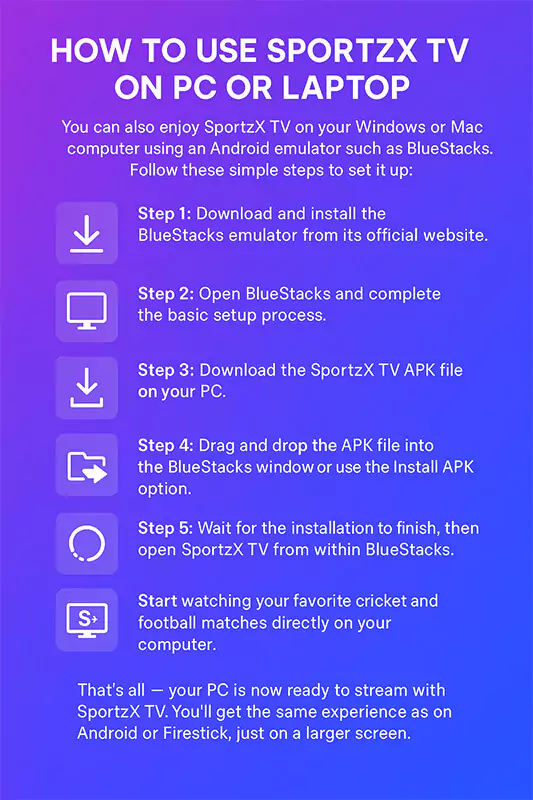
How to Use SportzX TV on PC or Laptop
You can also enjoy SportzX TV on your Windows or Mac computer using an Android emulator such as BlueStacks. Follow these simple steps to set it up:
- Step 1: Download and install the BlueStacks emulator from its official website.
- Step 2: Open BlueStacks and complete the basic setup process.
- Step 3: Download the SportzX TV APK file on your PC.
- Step 4: Drag and drop the APK file into the BlueStacks window or use the Install APK option.
- Step 5: Wait for the installation to finish, then open SportzX TV from within BlueStacks.
- Step 6: Start watching your favorite cricket and football matches directly on your computer.
That’s all — your PC is now ready to stream with SportzX TV. You’ll get the same experience as on Android or Firestick, just on a larger screen.
Note: For smooth playback, make sure your PC has at least 4GB RAM and a stable internet connection.
App Preview
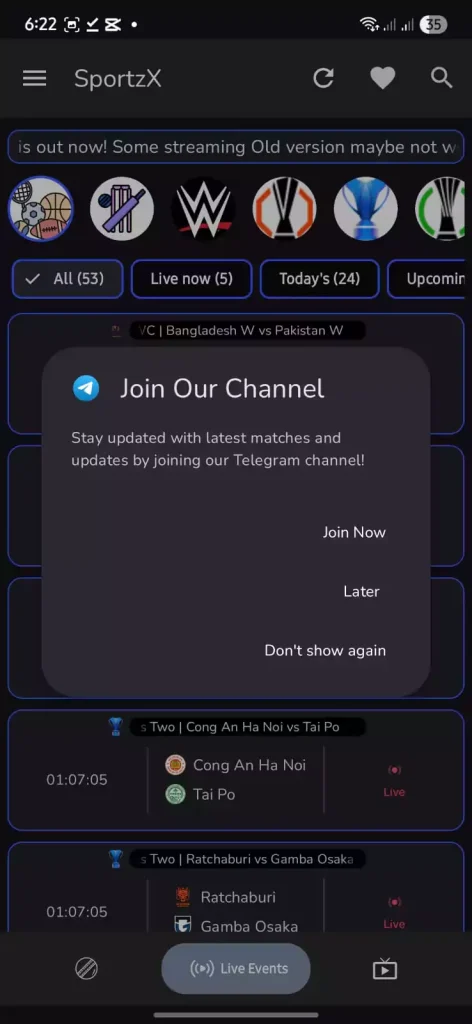
A quick look at the latest version of SportzX TV clean design, fast navigation, and smooth live sports streaming.
Conclusion
SportzX is a trusted app for fans who want an easy and reliable way to watch live sports. With its simple design, quick performance, and wide range of channels, it makes streaming matches effortless. The latest version offers smoother playback, a floating player, and faster updates to keep everything running perfectly.
If you love cricket, football, or any live sport SportzX TV is all you need to stay connected anytime, anywhere.